
Last updated on October 30th, 2025 at 02:05 pm
Are you getting tired of logging in to your Crunchyroll account again and again? Do you sit and wonder, why Crunchyroll keeps logging me out?
Then continue reading to fetch all your queries.
Crunchyroll is one of the most used streaming services for Anime lovers. With this increased popularity, it has also gathered numerous regular users.
Now if you are going to use an account daily, you’d prefer to stay logged in all the time rather than having to log in every time.
Crunchyroll users seem to be having trouble in this matter. There are multiple reports of users automatically logging out of their accounts.
In this article, we’ve accumulated all the causes and fixes for this Crunchyroll log-in error. So if you are having a similar issue read it till the end.

Why Does Crunchyroll Keep Logging Me Out?
Short Answer: You can be getting logged out of Crunchyroll repeatedly for a variety of reasons, such as server maintenance, software updates, or security precautions. If you exit the browser without saving the login credentials. You’ll automatically log out of the account. Fixing the issue and resuming regular streaming functionality are key priorities.
Here we’ve discussed some of the key issues causing users to log out of their Crunchyroll account. Let’s get into it.
1. Poor Internet connection
An unstable internet connection can be the reason for Crunchyroll logging you out of your account. With a constantly fluctuating network connection, the site may fail to load properly.
2. Faulty Browser settings
Certain Browser configurations can result in a login glitch. Automatically clearing out cookies and data on exiting the browser, will log you out of your account.
It is important to allow cookies from Crunchyroll to retain login information and avoid such glitches.
3. Unwanted Cache/Data
Cache often contains buggy files and programs that interfere with the functioning of your app/browser. This can cause the app to crash by slowing down the shows and movies. Ultimately logging you out of your Crunchyroll account.
4. Outdated Crunchyroll App
Crunchyroll logging you out can result from the use of outdated app versions. Older firmware often loses compatibility causing glitches in apps functioning.
5. VPN interface
Your location alters when you connect to a VPN. Crunchyroll detects this as suspicious activity and will automatically log out of your account. It happens as a security measure.
6. Server Shutdown
Crunchyroll’s servers occasionally have connectivity issues. It can cause automatic logging out. This issue is mostly temporary and resolves on its own with time.
7. Incompatible Ad Blocker
Ad blockers are great for ad-free streaming on Crunchyrolls. However, the site is quick at detecting these ad blockers and will automatically log you out of the account.
8. Multiple device logins
Logging into different devices using the same account can cause you to log out of the account automatically. Crunchyroll takes it as a security breach.
This however isn’t the case for Mega Fan and Ultimate Fan plan holders. With this plan, a single account can be used on 4 different devices.
Fix: Crunchyroll won’t let me log in
We have a brief idea of the possible causes for Crunchyroll’s repeated logging out of your account. Now let’s see how to fix this issue using the different troubleshooting steps.
Method 1: Check for Server issues
If you are being logged out of your account the problem may be related to Crunchyrolls server.
You can check the server status on downdetector.in and confirm if it’s the cause or not.
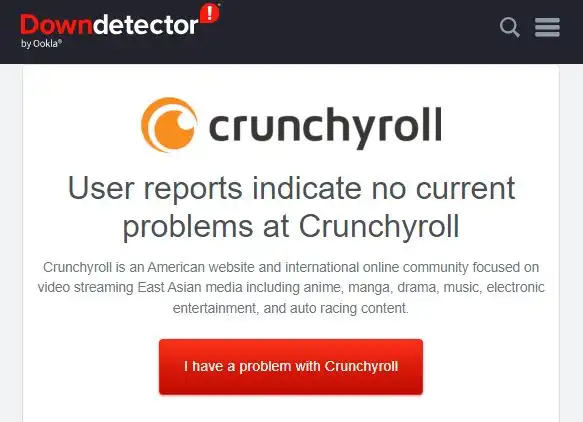
Any server issue present will be resolved by the Crunchyroll team. All you can do is wait it out.
Method 2: Update the Crunchyroll App
Updating the app to its later version can fix the logging-out issue. Your Crunchyroll app may not function correctly on older firmware.
Additionally, upgrading to the most recent version of the Crunchyroll app will resolve all previously reported bugs.
Follow the steps below to update the Crunchyroll app:
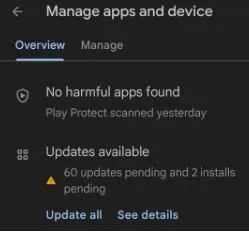
- Open “PlayStore” on your device and click on the “profile icon” at the top right corner.
- Click on the “manage apps and devices” option.
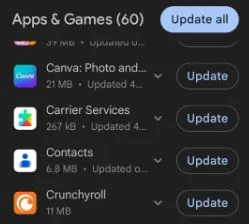
- Click on the “Updates Available” option and look for Crunchyroll in the list.
- Tap on the “Update” button to start downloading new updates.
Method 3: Clear App and Browser cache
Cache files when corrupted can actively interrupt the normal functioning of the app and browser. In such cases, it is better to clear out the cache to avoid unnecessary glitches.
To clear the App cache, follow the mentioned steps:
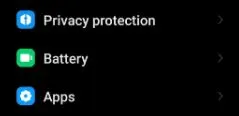
- Go to the “settings” menu on your device.
- Click on the “Apps” option followed by the “Manage Apps” option.
- Click on “Crunchyroll” from the displayed list.
- Click on the “Clear Data” option followed by the “Clear Cache” option.
- Click “OK” to confirm the action.
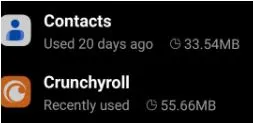
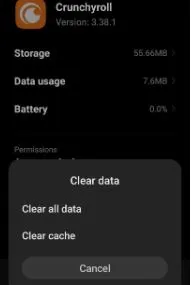
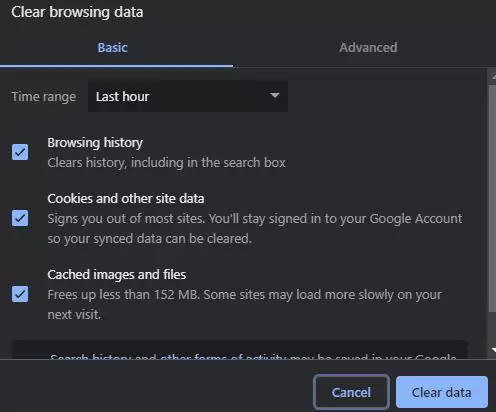
To clear browser cache and cookies, follow the below-mentioned steps:
- Open your “browser” and click on the three vertical dots.
- Click on the “More Tools” option.
- Click on the “Clear Browsing Data” option.
- Check mark the “Cached image and files” option and tap on the “Clear Data” button.
Method 4: Disable VPN and Adblockers
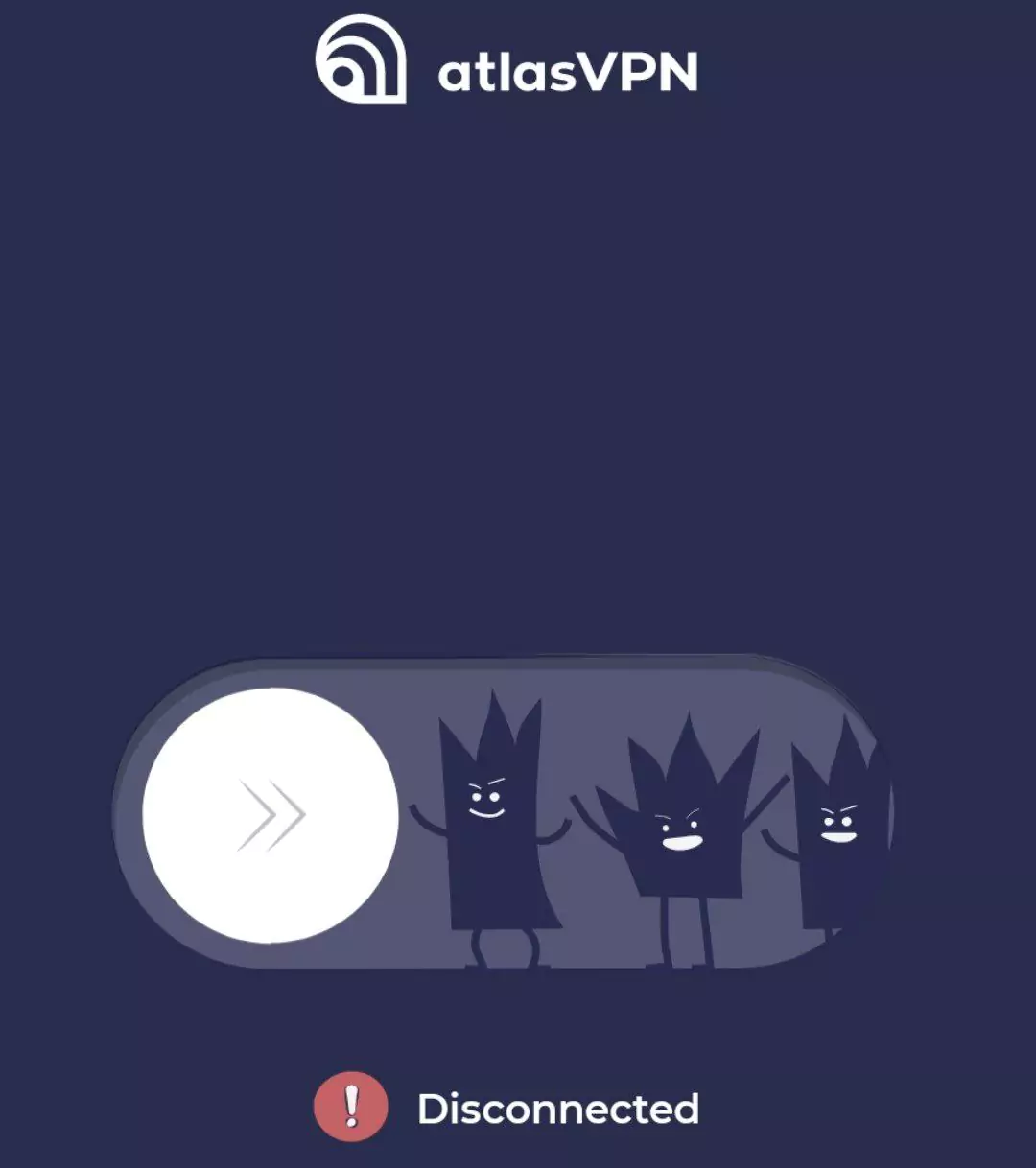
VPNs work by altering your location, Crunchyroll views this as a security breach and acts by logging you out of the account. Disconnect the VPN service before attempting to access your Crunchyroll account.
Crunchyroll keeps tabs on any suspicious third-party apps, especially ad-blocking browser extensions. If detected, you’ll be logged out of your account automatically
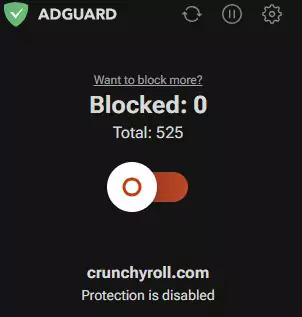
Disconnect from any third-party app or extension to keep your Crunchyroll account logged in.
Method 5: Log out of other devices
Login errors can result from logging in to multiple devices using one Crunchyroll account. Log out from all the devices except one and see if this resolves the issue.
Method 6: Reinstall Crunchyroll App
Uninstalling and installing the Crunchyroll app again has worked in resolving the login issues for multiple users.

When you reinstall the app, you automatically get rid of any corrupted data or glitch. This could’ve been causing the repeated logging out of the Crunchyroll app.
Method 7: Contact Customer Support
When you’ve tried all the above-mentioned steps but Crunchyroll is still logging you out, then contact the customer support team. The support team will provide you with all the needed assistance.
Final Words
With this, you now have a good idea about the multiple reasons causing Crunchyroll to keep logging you out of your account. In addition to that, you also know the different ways to fix the login issue using the multiple steps mentioned in this article.
Follow the mentioned steps to avoid getting logged out of your Crunchyroll account. Now you continue watching your favorite Anime. For some Comedy Anime recommendations, click here.

Engineering edified me dreams’ propelling. And being an Otaku, a superlative dream of mine engulfs experiencing anime to its deepest quintessence and inditing my perspective towards it. Ultimately, anime blogging carved a path towards my desire and made me stand up to you.
Note: Some of the links on this page are affiliate links, which means we may earn a small commission if you choose to make a purchase through them-at no extra cost to you. We only recommend products and services we genuinely believe in and find useful.